The Frustrating Problem of Using Django's gettext_lazy as a JSON Key
One-line summary: A JSON Key must be a 'real' string, but Django's
gettext_lazyactually returns a__proxy__object, not a string.
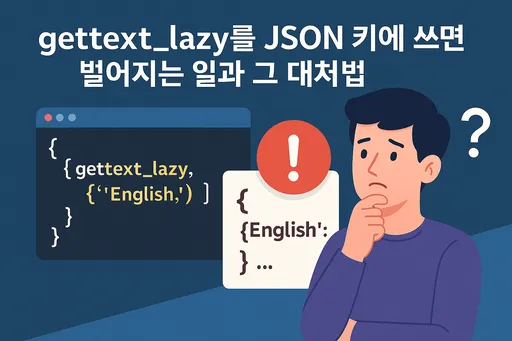
1. Why Did Perfectly Working Code Suddenly Break?
In Django development, using gettext_lazy for internationalization (i18n) is a common practice. However, while using it normally, you might suddenly encounter a serialization error during a JSON response (e.g., using JsonResponse).
Typically, the error logs will show cryptic messages about __proxy__ objects, which can be quite perplexing. However, the root cause is often surprisingly simple.
2. The Culprit Was the "Key"
To put it simply, a gettext_lazy object generally behaves well when used as a dictionary Value, but it causes problems the moment it's used as a Key.
| Category | When used as Value | When used as Key |
|---|---|---|
| Operation | Normal (auto str conversion) |
Error occurs |
| Reason | Automatic type conversion supported during JSON serialization | JSON Keys must be 'real' strings |
3. Why This Difference?
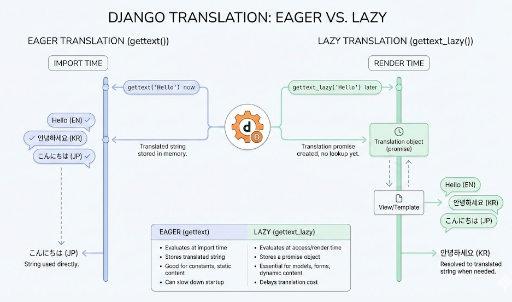
What gettext_lazy returns is not a true String but an object called __proxy__. As its name implies, it's essentially a promise to "provide the translation later when needed."
Python's json.dumps() or Django's JsonResponse iterates through dictionary values, automatically fulfilling this 'promise' by converting __proxy__ objects into strings (evaluation). However, the Keys of a dictionary are a different story. According to the JSON standard, keys must always be strings. When a __proxy__ object encounters this requirement, it doesn't automatically convert, leading to an error.
# ✅ No problem: Values are automatically converted to str.
json.dumps({'language': _('Korean')})

# ❌ Error: Keys are not automatically converted and are rejected.
json.dumps({_('Korean'): 'language'})
4. How to Resolve This?
Method 1: Simply Use gettext (Cleanest Approach)
If a lazy approach isn't strictly necessary, using gettext, which returns a string immediately upon call, is often the most straightforward solution.
from django.utils.translation import gettext as _

LANGUAGE_MAP = {
    "en": _("English"),
    "ko": _("Korean"),
}
- Note: However, with this method, the translation is determined when the application loads. Caution is advised if a dynamic translation environment is crucial.
Method 2: Force str() Conversion Before Serialization
If you are already extensively using lazy objects, you can explicitly convert them to strings right before passing them to JSON.
# Wrap with str() before using as a Key to make it a 'real string'.
lang_key = str(LANGUAGE_MAP.get(code))
Method 3: Delegate Translation to the Client-Side
If you're using a separate frontend client instead of Django templates (which seems to be a growing trend these days), the Django (or DRF) server can simply send codes like en or ko. The actual text displayed on the screen would then be handled by the frontend's i18n library (e.g., Reac], Vue). This approach offers the advantage of lighter server-side logic.
Conclusion
If you've ever found yourself wondering, "It worked yesterday, why not today?" while using json.dumps() with gettext_lazy(), it's highly likely that yesterday you fortunately used it only for a Value, whereas today you used it as a Key.
gettext_lazy is convenient, but it's crucial to always remember that it's not a 'real string.' This is especially important when dealing with JSON. I hope this helps anyone struggling with similar errors.

![thumbnail of [Python Standard Library – 2] Data Storage & Serialization: JSON, Pickle, CSV](/media/editor_temp/6/82b2d285-16b0-473a-b88a-cd9a6f6582f2.png)

There are no comments.