The Secret of the First Line in Linux Scripts: What Exactly Are #!/usr/bin/env bash and #!/bin/bash?
When writing scripts in Linux, it's common practice to start them with one of these lines:
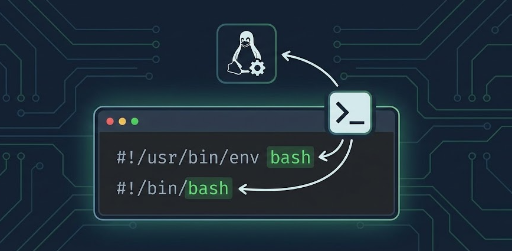
#!/usr/bin/env bash
Or:
#!/bin/bash
At first glance, they might look like comments, but what is the true identity of this single line? And what exactly is the difference between the two? In this post, we'll thoroughly understand this crucial line and explore when and how to use each method.
1. Not a Comment: What is a shebang?
The line starting with #! is called a shebang.
#!/bin/bash
From the shell's perspective, starting with # makes it look like a "comment." However, from the operating system (kernel)'s perspective, it's not a comment but rather:
"An instruction that tells where the interpreter program to execute this script is located."
In essence, this means:
#!/bin/bash→ "Execute this file with/bin/bash."#!/usr/bin/env bash→ "Find thebashinterpreter viaenvand execute this file with it."
2. How Does the Kernel Execute a Script?
The execution process, simplified, goes like this:
-
A user executes a script with execute permissions.
bash chmod +x script.sh ./script.sh -
The kernel reads
script.sh. - It checks if the first two characters of the file are
#!. -
If they are, it interprets the rest of the line as:
- "Interpreter path + arguments"
- And executes that program, passing the script file path as an argument.
For example, if script.sh starts with:
#!/bin/bash
The kernel's actual action can be roughly understood as:
/bin/bash script.sh
In other words, the kernel performs an action similar to what we would do by explicitly running bash script.sh.
Note: There must be no space before
#!/. The first character of the file must be#, and the second must be!.
3. Meaning and Characteristics of #!/bin/bash
This is the most frequently seen form.
#!/bin/bash
Meaning
- "This is a bash script, and
bashis located at/bin/bash." - The kernel will always execute
/bin/bashwhen running this script.
Advantages
- Clarity: Always using
/bin/bashmakes it easy to predict which bash will be used. - Performance/Simplicity: It runs directly without involving
env, so there's no path search process. - In many Linux distributions,
/bin/bashis treated as a de facto "standard location."
Disadvantages
-
May not be portable
- On some systems, bash might be located at
/usr/bin/bash,/usr/local/bin/bash, or other paths. - Some systems might not even have bash installed, only
/bin/sh. - Specifically, in environments like macOS, BSD variants, NixOS, or certain container setups, the path might differ.
- On some systems, bash might be located at
4. Meaning and Characteristics of #!/usr/bin/env bash
This form is increasingly common in modern scripts.
#!/usr/bin/env bash
The key here is /usr/bin/env.
-
envis a utility that helps with "setting/checking environment variables + searching for programs in PATH." -
You can think of the kernel executing it like this:
bash /usr/bin/env bash script.sh -
envlooks at the system'sPATHenvironment variable and searches for thebashexecutable within it, then runs it.
Advantages
-
Portability (Works well across various environments)
- Whether bash is at
/bin/bash,/usr/bin/bash, or/usr/local/bin/bash, envwill find it as long as it's properly registered in thePATH.
- Whether bash is at
-
Uses the user's preferred bash
- If a user has customized their
PATHto prioritize a specific version of bash, that version will be used.
- If a user has customized their
-
Same pattern used in Python and other languages
#!/usr/bin/env python3
Disadvantages
-
Prerequisite:
/usr/bin/envmust exist- While present on almost all modern Unix/Linux systems, it might not be in very specialized environments.
-
Different interpreters might be picked depending on PATH
- If the
PATHsetting is misconfigured, or an unexpected bash is found first, an unintended version might execute.
- If the
-
Requires caution from a security perspective in some cases
- In highly security-sensitive environments, some prefer absolute paths over
PATH-based interpreter discovery.
- In highly security-sensitive environments, some prefer absolute paths over
5. Comparison Summary of the Two Methods
Let's summarize with a simple comparison table.
| Category | #!/bin/bash | #!/usr/bin/env bash |
|---|---|---|
| Interpreter location method | Fixed absolute path | Searches via PATH |
| Portability (System compatibility) | Low (breaks if path differs) | High (OK if bash is in PATH) |
| Which bash is used | Always /bin/bash |
The first bash found in PATH |
| Guaranteed version | Relatively easy | Can vary based on PATH status |
| Security/Control | Stronger (fixed path) | Slightly looser (PATH dependent) |
| General Modern Trend | Relatively older style | More commonly recommended recently |
6. When to Use Which Method?
For the question "So, what should I use?", let's break it down by situation.
1) Personal / Team Development Scripts (General Development Environments)
-
Generally, the following is recommended:
```bash
!/usr/bin/env bash
```
-
Reason:
- The bash location might differ across developer-managed servers, local environments, or CI environments.
PATH-based execution is more flexible, and modern tools/scripts often prefer this method.
2) Operational Scripts Tailored for Specific Server Environments
-
For example, if all servers within a company consistently have bash installed at
/bin/bash, -
And the server environment is quite stable, then:
```bash
!/bin/bash
```
-
Reason:
- Ensures the use of the exact same interpreter every time.
- Can reduce unexpected behavior caused by
PATHmodifications.
3) If You Need Maximum Portability?
-
If you're in an environment where "bash might not even be installed," you should first consider if a bash-dependent script is appropriate.
-
If possible, write it in
shand use:```bash
!/bin/sh
```
-
This approach will run in a much wider range of environments. However, you must avoid bash-specific syntax (like
[[ ]], arrays, extended string processing, etc.).
7. Practical Tips When Using #!/usr/bin/env bash
1) How to Execute Scripts
To properly utilize shebangs, instead of just doing this:
bash script.sh # ← Executing this way largely ignores the shebang
It's better to use it as follows:
chmod +x script.sh   # Grant execute permission
./script.sh          # Execute directly
This ensures the kernel reads #! and uses the specified interpreter.
2) Checking Argument Passing
For example, let's say you create test.sh like this:
#!/usr/bin/env bash

echo "Interpreter: $0"
echo "Arguments: $@"
Execution:
chmod +x test.sh
./test.sh hello world
Output:
Interpreter: ./test.sh
Arguments: hello world
Here, $0 represents "the path of the script file itself," and you just need to remember that the kernel is actually executing it like /usr/bin/env bash test.sh hello world.
8. Frequently Asked Questions
I've seen scripts written without a shebang. Is that okay?
-
That's right, it's not always necessary.
-
If you explicitly specify the interpreter for execution as shown below, a shebang is not needed. Even if a shebang is present, it will be ignored.
bash bash myscript.sh python3 myscript.py -
However, if you want to execute it like this, a shebang is essential:
bash ./myscript.sh ./myscript.py -
Especially for "tool-type" scripts that others might use, a shebang is almost indispensable.
"I've also seen #!/bin/env instead of #!/usr/bin/env. Is that valid?"
- Some systems might have
/bin/env. - However,
/usr/bin/envis generally the more universal standard location. - Unless you have a specific reason, using
#!/usr/bin/env …is safer.
9. Summary
#!/usr/bin/env bashand#!/bin/bashare not comments, but directives that tell the kernel "execute this script with this interpreter."-
#!/bin/bash- Always uses
/bin/bash→ Predictable in fixed environments, but may not be portable -
#!/usr/bin/env bash -
Finds bash in
PATH→ More flexible and portable, but affected by PATH status - For general development/deployment environments, if you're writing scripts in a "modern style," it's recommended to use
#!/usr/bin/env bashas the default.
- Always uses