Django Internationalization: Avoiding “banco / carta / cura” Translation Collisions with Contextual Markers
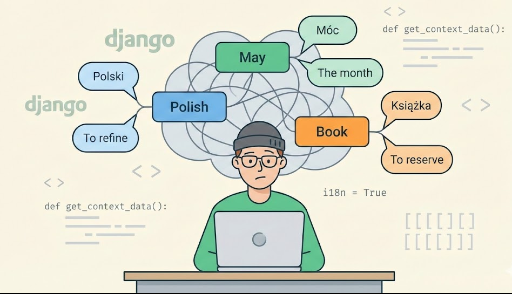
When you localize a product into English (or any other language), ambiguous source strings can bite you:
- A button labeled “banco” gets translated as “bank”, even though the UI clearly means “bench.”
- In a restaurant screen, “carta” is translated as “letter”, when the correct meaning is “menu.”
- A label “cura” is translated as “cure”, even where it’s meant to be “priest.”
The root cause is simple:
Computers don’t understand context. If two strings are identical, they’re treated as the same.
This article explains how to keep your source strings unchanged while allowing different translations for the same text using Django’s Contextual Markers.
Why does this happen? How gettext matches strings

Django’s translation system is built on GNU gettext, which follows a straightforward mapping:
- Source string →
msgid - Translated string →
msgstr - If
msgidis the same, gettext uses the samemsgstr
# django.po
msgid "banco"
msgstr "bank"
Once that mapping exists in the .po file, every occurrence of "banco" will be translated as "bank"—even in places where it should be "bench".
That’s why two UI uses like these can’t be distinguished by default:
"banco"= bench (a seat)"banco"= bank (a financial institution)
A common workaround is to change the visible source strings:
<!-- Avoid this approach -->
{% trans "banco (bench)" %}
{% trans "banco (bank)" %}
It works, but it makes the source strings awkward and harder to reuse. What we actually want is:
- Keep the source string as "banco"
- Provide a separate hint describing which meaning is intended
That’s exactly what Contextual Markers are for.
Solving it in templates: {% translate %} + context
In Django templates, you can attach a context option to {% translate %} (or legacy {% trans %}) to differentiate identical strings by meaning.
1) Original code (collision)
{% load i18n %}

<button>{% translate "banco" %}</button>
<span>{% translate "banco" %}</span>
Both entries become msgid "banco" in the .po file, so only one translation can be used.
2) Improved code (with context)
{% load i18n %}

<button>
  {% translate "banco" context "seat: bench" %}
</button>

<span>
  {% translate "banco" context "financial institution" %}
</span>
Key points:
- The
contextstring is not shown to users. - It’s metadata for the translation system and translators.
-
Keep it short and specific, such as:
-
"seat: bench" "financial institution""restaurant menu""letter (mail)"
3) Using {% blocktranslate %} with context
For longer text, {% blocktranslate %} (or {% blocktrans %}) also supports context:
{% load i18n %}

{% blocktranslate context "restaurant UI: menu label" with name=restaurant.name %}
  View the carta for {{ name }}
{% endblocktranslate %}
This lets you reuse similar sentences while still disambiguating meaning.
Solving it in Python code: pgettext
In Python code (views, models, forms), use the pgettext family instead of plain gettext:
pgettext(context, message)pgettext_lazy(context, message)– lazy evaluation (model fields, module-level constants)npgettext(context, singular, plural, number)– plural handling with context
1) Basic example
from django.utils.translation import pgettext

def my_view(request):
    bench = pgettext("seat: bench", "banco")
    bank = pgettext("financial institution", "banco")

    menu = pgettext("restaurant menu", "carta")
    letter = pgettext("letter (mail)", "carta")

    priest = pgettext("religion: priest", "cura")
    cure = pgettext("medical: cure", "cura")
The msgid stays the same ("banco", "carta", "cura"), but translations can differ thanks to the context.
2) Using pgettext_lazy in models
Ambiguity shows up in model field labels, help text, and choices too:
from django.db import models
from django.utils.translation import pgettext_lazy

class Example(models.Model):
    location = models.CharField(
        max_length=100,
        verbose_name=pgettext_lazy("UI label: bench/seat", "banco"),
    )

    TYPE_CHOICES = [
        ("bank",  pgettext_lazy("financial institution", "banco")),
        ("bench", pgettext_lazy("seat: bench", "banco")),
    ]

    kind = models.CharField(max_length=20, choices=TYPE_CHOICES)
3) Plurals with context: npgettext
If you need plural forms and context:
from django.utils.translation import npgettext

def notification(count):
    return npgettext(
        "user notification",
        "You have %(count)d item",
        "You have %(count)d items",
        count
    ) % {"count": count}
What the .po file looks like with context
After extracting messages:
python manage.py makemessages -l <locale>
Django will include a msgctxt field for strings that specify context:
# django.po

msgctxt "seat: bench"
msgid "banco"
msgstr "bench"

msgctxt "financial institution"
msgid "banco"
msgstr "bank"

msgctxt "restaurant menu"
msgid "carta"
msgstr "menu"

msgctxt "letter (mail)"
msgid "carta"
msgstr "letter"

msgctxt "religion: priest"
msgid "cura"
msgstr "priest"

msgctxt "medical: cure"
msgid "cura"
msgstr "cure"
Even though msgid is identical, gettext treats entries with different msgctxt as separate translation units—so tools like Poedit, Weblate, or Crowdin will show them as distinct items.
The important part:
- Your source strings remain unchanged (
"banco","carta","cura") - The
.pofile gains the extra structure needed to translate correctly
Tips for writing good context strings
Context isn’t displayed to users, but it’s often the most useful clue translators get.
- Describe the UI role
"button label""menu item""tooltip""error message""form field label"
- Name the concept/domain
"financial institution""seat: bench""restaurant menu""letter (mail)""religion: priest""medical: cure"
- Don’t put the translation in the context
- Keep context as a short explanation of role/meaning, not a translated result.
When should you use Contextual Markers?
Use context / pgettext when any of these apply:
-
Short strings (1–2 words) reused across the UI Buttons, tabs, menu items, labels.
-
The same source text is used with different meanings Classic cases like
"banco","carta","cura". -
Translators work without seeing the UI Translation platforms, external vendors, or
.po-only workflows.
Summary
- By default, Django/gettext maps a single
msgidto a single translation. - Ambiguous strings like “banco”, “carta”, and “cura” can’t be translated correctly without extra clues.
-
Instead of changing the source strings, add context:
-
Templates:
{% translate "…" context "…" %} - Python:
pgettext,pgettext_lazy,npgettext - Django records context as
msgctxtin.pofiles, enabling distinct translations for identical source text.
Contextual Markers let you keep your code clean while dramatically improving translation quality and maintainability.
Related Articles



There are no comments.