Installing MOSS-TTS: High-Performance TTS Without Fine-tuning (Leveraging NVIDIA DGX Spark)
In this post, I'll share the process of setting up MOSS-TTS, a high-performance Text-to-Speech (TTS) model, on NVIDIA's latest AI workstation, the DGX Spark (Grace-Blackwell). A key highlight is its impressive voice cloning performance, which doesn't require any fine-tuning.
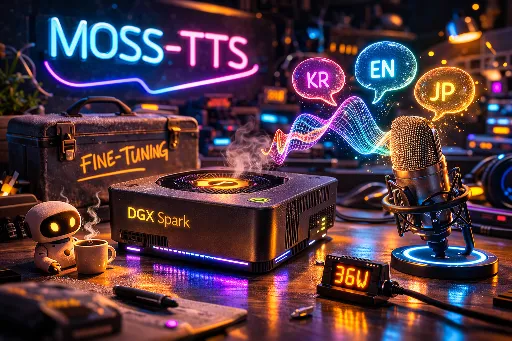
System Environment Summary

This installation guide is based on the following environment.
| Category | Specification | Notes |
|---|---|---|
| Hardware | NVIDIA DGX Spark (Grace-Blackwell) | Low-power/Low-noise AI Workstation |
| GPU | GB10 (CUDA Capability 12.1) | Blackwell Architecture |
| OS | Ubuntu 22.04 LTS 기반 | - |
| CUDA / Driver | CUDA 13.0 | Spark default driver environment |
| Python | 3.10+ (venv 사용) | Chose lightweight venv over Conda |
| VRAM Usage | 약 23.8 GB | Based on inference standby and execution |
1. Repository Clone
git clone https://github.com/OpenMOSS/MOSS-TTS.github
2. Create and Activate Virtual Environment (venv)
While the GitHub guide recommends Conda, I opted for a Python virtual environment for easier Docker packaging and systemd service registration in the future.
python3 -m venv myvenv
source myvenv/bin/activate
3. Update Basic Build Tools
pip install -U pip setuptools wheel
4. Crucial Configuration: Modify pyproject.toml
To align with the CUDA 13.0 environment of DGX Spark, you must manually adjust the dependency versions. It's critical to ensure that the versions of torch and torchaudio match to prevent conflicts during installation.
- Modifications:
"torch==2.10.0+cu130""torchaudio==2.10.0+cu130""torchcodec==0.10.0+cu130"
5. Install Dependency Packages
pip install --extra-index-url https://download.pytorch.org/whl/cu130 -e .
6. Install Host FFmpeg
FFmpeg is required to prevent errors during inference, so install it along with its libraries beforehand.
sudo apt update && sudo apt install -y ffmpeg libavcodec-dev libavformat-dev libavutil-dev libswresample-dev libswscale-dev
sudo ldconfig
7. Model Download and Execution Precautions
- Do Not Download Directly from HG: Manually downloading the model from HuggingFace and linking it via
--model_pathmay cause errors due to variable name mismatches with the executable (moss_tts_app.py). - Automatic Download Recommended: Running with default settings will automatically download approximately 17GB of weight models and 7GB of Tokenizer to the cache path.
- Execution Script:
python clis/moss_tts_app.py --device cuda --attn_implementation auto --host 0.0.0.0 --port 7860
Note: A
GB10 (cuda capability 12.1)warning might appear during execution, but it has been confirmed that this does not affect actual inference performance. Initial loading takes approximately 30-60 seconds.
8. Post-Use Review: "Fine-tuning is No Longer Necessary"
- Cloning Performance: With just one sample of my voice, it perfectly replicates the tone and speech patterns in Korean, English, and Japanese.
- Speed: Short sentences are generated in 7-8 seconds, while longer texts (3-4 sentences) take approximately 30 seconds.
- Language-Specific Features: English generation is nearly flawless. Misread Kanji in Japanese can be easily corrected by using Hiragana.
- Power Efficiency: Even during inference, it maintains a low power consumption of around 36W, and the absence of fan noise is a significant advantage of the DGX Spark.
9. Troubleshooting: Why Not Use NVIDIA's Official Image?
The nvcr.io/nvidia/pytorch:26.01-py3 image provided by NVIDIA does not allow torchaudio and torchcodec to be built, which are necessary for TTS operation. It appears that the PyTorch version included in NVIDIA's images is specially built to match NVIDIA products, leading to version mismatch issues with torchaudio and torchcodec. Therefore, for now, a standard venv environment is the most stable option even on Spark.
🚀 Future Plans
- FlashAttention 2 Integration: I plan to test how much inference speed improves after implementing FlashAttention 2.
- MOSS-VoiceGenerator: I also plan to explore the MOSS-VoiceGenerator model, which creates new virtual voices without a reference.
Related Posts
-NVIDIA DGX Spark - The New Standard for On-Premise AI Infrastructure

There are no comments.