In a previous post, we explored how to manage scheduled tasks using IntervalSchedule through Django-Celery-Beat: Practical Examples of Scheduled Tasks with PeriodicTask.
However, in real-world projects, the interval execution mode alone is often insufficient.
- When tasks need to be executed at a specific time every day
- When a task needs to be executed only once at a specific date and time
In these cases, using the Crontab or Clocked scheduling methods allows for more precise task scheduling. 🚀
📌 Unfamiliar with the concept of Crontab?
➡️ Understanding Linux `crontab` Properly: Tips for Automatic Scheduling Loved by Developers
Reading the above article will help you understand better! 😊
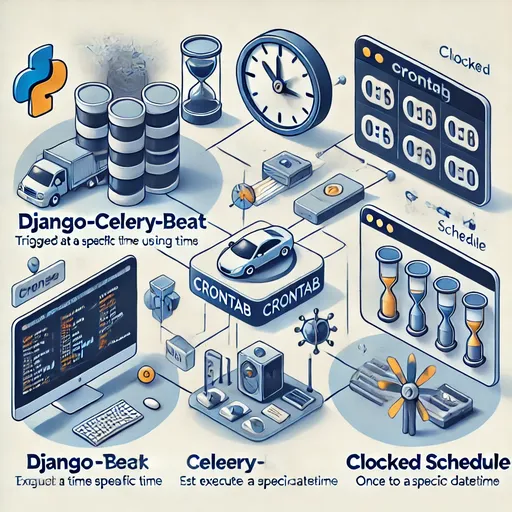
1️⃣ Scheduling at Specific Times Using `CrontabSchedule`
Crontab is a scheduling method used in Linux that allows you to set tasks to run at specific intervals such as seconds/minutes/hours/days of the week/dates.
In Django-Celery-Beat, you can also set up scheduled tasks in the same way using `CrontabSchedule`.
📌 Example: A scheduled task that runs every day at 9:30 AM
from django_celery_beat.models import PeriodicTask, CrontabSchedule
import json

# 1️⃣ Create CrontabSchedule (executes every day at 09:30)
schedule, created = CrontabSchedule.objects.get_or_create(
    minute="30",
    hour="9",
    day_of_week="*",
    day_of_month="*",
    month_of_year="*"
)

# 2️⃣ Create or update a PeriodicTask
task, created = PeriodicTask.objects.update_or_create(
    name="daily_report_task",
    defaults={
        "crontab": schedule,  # Apply CrontabSchedule
        "task": "myapp.tasks.generate_daily_report",
        "args": json.dumps([]),
        "enabled": True,
    }
)
✅ The above configuration schedules the task to run every day at 9:30 AM! 🎯
✅ Explanation of `CrontabSchedule` Fields
| Field Name | Description | Example |
|---|---|---|
| `minute` | Set the minute(s) to run | "0", "30", "*/10" |
| `hour` | Set the hour(s) to run | "0", "9", "*/6" |
| `day_of_week` | Set the weekday to run (0=Sunday) | "*" (every day), `"1,3,5"` (Mon/Wed/Fri) |
| `day_of_month` | Set the date(s) to run | "*" (every day), `"1,15"` (1st and 15th of every month) |
| `month_of_year` | Set the month(s) to run | "*" (every month), `"1,6,12"` (January, June, December) |
2️⃣ Executing Once at a Specific Time Using `ClockedSchedule`
`ClockedSchedule` is used to set up scheduled tasks that run only once at a specific date and time.
📌 Example: A scheduled task that runs only once at a specific date (February 10, 2025, 15:00)
from django_celery_beat.models import PeriodicTask, ClockedSchedule
import json
from datetime import datetime

# 1️⃣ Create ClockedSchedule (executes on February 10, 2025, at 15:00)
scheduled_time = datetime(2025, 2, 10, 15, 0)  # Must use a datetime object!
schedule, created = ClockedSchedule.objects.get_or_create(
    clocked_time=scheduled_time
)

# 2️⃣ Create a PeriodicTask (set one_off=True!)
task, created = PeriodicTask.objects.update_or_create(
    name="one_time_task_20250210",
    defaults={
        "clocked": schedule,  # Apply ClockedSchedule
        "task": "myapp.tasks.one_time_email",
        "args": json.dumps([]),
        "enabled": True,
        "one_off": True,  # Automatically disable after execution
    }
)
✅ The above setting will run the task once at 15:00 on February 10, 2025 and will automatically disable itself afterwards.
- 📌 When creating an instance of the ClockedSchedule model, the
clocked_timefield must be input as adatetimeobject. - 📌 Using a string or other data types may cause errors.
📌 Relationship Between ClockedSchedule and one_off Option?
When creating a task that executes only once using ClockedSchedule, you set one_off=True,
but you may wonder how this setting interacts with the enabled field.
📌 If you want to know more about the relationship between these two fields (clocked_time and one_off)?
➡️ The Relationship Between one-off and enabled in Celery Beat: Understanding and Usage
The above article discusses in-depth how `one_off=True` works and what differentiates it from `enabled`, so be sure to check it out! 😊
🎯 Conclusion: Crontab and Clocked Allow for More Precise Scheduled Tasks!
- Using CrontabSchedule allows you to schedule tasks that are periodic but executed at specific times!
- Using ClockedSchedule allows you to schedule tasks that are executed only once at specific points!
- When creating a ClockedSchedule, the
clocked_timefield must be input as adatetimeobject! - There’s a separate post that covers the relationship between
ClockedScheduleandone_off=Truesetting in more detail, so be sure to check it out!
If you want to learn more about leveraging Celery,
check the list of 'related posts' below or search for `"Celery"` in the search bar at the top right! 🚀 😊


There are no comments.