Even backend engineers ultimately work on products that run in a browser.
You don’t need to become an expert in frontend development, but knowing at least the basics of JavaScript syntax and methods can:
-
Make it much easier to identify the causes of bugs
-
Improve communication with frontend colleagues
-
Allow you to make simple UI changes yourself.
In this article, I will outline the Top 5 Frontend JavaScript Methods and Modules That Are Definitely Helpful For Backend Engineers.
1. fetch – Making HTTP Calls from the Browser

Why is it important?
Backend engineers are most familiar with HTTP APIs.
In frontend development, this API is frequently called using fetch.
Understanding how requests are sent and how to handle responses/errors greatly simplifies debugging.
Basic Usage
// Example of a GET request
fetch('https://api.example.com/users/1')
  .then((res) => {
    if (!res.ok) throw new Error('HTTP error ' + res.status);
    return res.json(); // JSON parsing
  })
  .then((data) => {
    console.log('user:', data);
  })
  .catch((err) => {
    console.error('fetch error:', err);
  });
Example of POST + JSON
async function createUser() {
  try {
    const res = await fetch('https://api.example.com/users', {
      method: 'POST',
      headers: {
        'Content-Type': 'application/json',
      },
      body: JSON.stringify({ name: 'Alice', age: 30 }),
    });

    if (!res.ok) {
      throw new Error('HTTP error ' + res.status);
    }

    const data = await res.json();
    console.log('created:', data);
  } catch (e) {
    console.error(e);
  }
}
Points
-
You can distinguish server errors by observing
res.ok,res.status, etc. -
It is helpful to memorize the patterns for using
JSON.stringifyandres.json(), as they are almost like templates. -
If you encounter CORS errors, it’s good practice to check how the
fetchrequest is being sent in the browser console.
2. Promise and async/await – The Basics of Asynchronous Logic
Why is it important?
Most frontend operations are asynchronous.
-
UI events
-
HTTP requests
-
Timers, WebSockets, etc.
The key concepts for handling these are Promise and async/await.
If you've worked with asynchronous I/O in backend development, the concept is similar.
Basics of Promise
function getUser(id) {
  return fetch(`/api/users/${id}`).then((res) => res.json());
}

getUser(1)
  .then((user) => {
    console.log(user);
  })
  .catch((err) => {
    console.error(err);
  });
More Readable with async/await
async function showUser(id) {
  try {
    const res = await fetch(`/api/users/${id}`);
    if (!res.ok) throw new Error('HTTP ' + res.status);

    const user = await res.json();
    console.log(user);
  } catch (e) {
    console.error(e);
  }
}

showUser(1);
Parallel Calls (A common pattern in backend as well)
async function loadDashboard() {
  const [userRes, statsRes] = await Promise.all([
    fetch('/api/me'),
    fetch('/api/stats'),
  ]);

  const [user, stats] = await Promise.all([
    userRes.json(),
    statsRes.json(),
  ]);

  console.log(user, stats);
}
Points
-
For
Promise-based APIs, choose either.then().catch()orasync/awaitfor better readability. -
Know the
Promise.allpattern when sending multiple requests at once.
3. The Big Three Array Methods: map, filter, reduce
Why is it important?
Frontend development involves data manipulation as well.
-
Transforming JSON lists received from the server into a format suitable for display
-
Filtering data that meets specific conditions
-
Calculating sums/statistics
In these situations, we heavily utilize array methods, which are conceptually the same as collection processing commonly used in backend development.
map – Transforming Each Element of an Array
const users = [
  { id: 1, name: 'Alice', age: 31 },
  { id: 2, name: 'Bob', age: 27 },
];

const names = users.map((u) => u.name);
// ['Alice', 'Bob']
filter – Keeping Only the Eligible Ones
const adults = users.filter((u) => u.age >= 30);
// [{ id: 1, name: 'Alice', age: 31 }]
reduce – Aggregating an Array into a Single Value
const totalAge = users.reduce((sum, u) => sum + u.age, 0);
// 58
Example of Chaining
const avgAgeOfAdults = users
  .filter((u) => u.age >= 30)
  .reduce((acc, u, _, arr) => acc + u.age / arr.length, 0);
Points
-
When you see “frontend code full of for loops,” it becomes easier to spot refactoring points to
map/filter/reduce. -
Understanding the correspondence with backend collection libraries (Java, Kotlin, Python, Go, etc.) speeds up comprehension.
4. Key DOM Manipulation: querySelector, addEventListener, classList
Why is it important?
Even when using frameworks (like React and Vue), during debugging you ultimately need to look at the DOM directly.
Simple admin pages or internal tools can often be built using vanilla JS without frameworks.
Selecting Elements – querySelector
<button id="save-btn">Save</button>
const saveBtn = document.querySelector('#save-btn');
You can use CSS selector syntax directly.
-
#id -
.class -
button.primary -
div > spanetc.
Event Handler – addEventListener
saveBtn.addEventListener('click', () => {
  console.log('Save button clicked!');
});
Toggling Styles/States – classList
<button id="save-btn" class="primary">Save</button>
saveBtn.classList.add('loading');     // Add class
saveBtn.classList.remove('primary');  // Remove class
saveBtn.classList.toggle('hidden');   // Remove if exists, add if not
Just knowing this combination allows you to:
-
“Why isn’t the button clickable?” → Check whether the actual DOM element is correctly captured and whether the event is attached.
-
“Why isn’t this div visible?” → Trace which status class has been applied by checking
classList.
Points
-
Having a basic understanding of DOM APIs helps a lot when you want to understand how frameworks operate internally.
-
It's essential to get into the habit of directly performing
document.querySelector(...)in the browser console.
5. ES Modules – Basics of import / export
Why is it important?
Frontend JavaScript now uses ES Modules (ESM) as a standard.
-
Code is separated by files
-
Only what you need is
imported and used -
Even without webpacks/bundlers, browsers can directly understand ESM
As ESM usage is increasing on the backend (Node.js) as well, having this knowledge helps in both areas.
Exporting Modules – export
// mathUtils.js
export function add(a, b) {
  return a + b;
}

export const PI = 3.14;

// Default export – represents a value/function from the module
export default function mul(a, b) {
  return a * b;
}
Importing Modules – import
// main.js
import mul, { add, PI } from './mathUtils.js';

console.log(add(1, 2)); // 3
console.log(mul(3, 4)); // 12
console.log(PI);        // 3.14
-
{ add, PI }: Named exports are being imported -
mul: Default export is being imported
Example of Using Module Script in the Browser
<script type="module" src="/static/js/main.js"></script>
By declaring it this way, you can use import / export syntax inside main.js.
Points
-
The concept of “modularization” is the same for both frontend and backend.
-
Understanding import path rules (
./,../, absolute paths, aliases for different bundlers, etc.) helps when reading frontend build settings.
Conclusion – The Minimum for a “Backend Engineer Who Can Also Do Frontend”
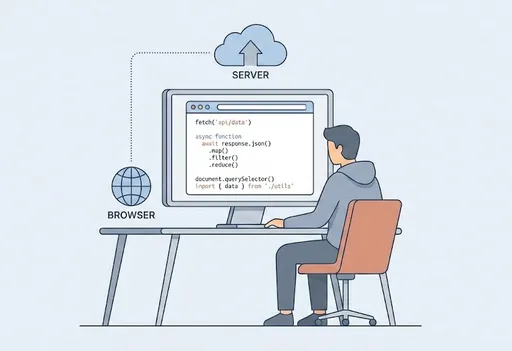
In summary, the essential things that a backend engineer should know to understand frontend JS are:
-
fetch– Making HTTP calls in the browser and processing JSON -
Promise/async/await– Understanding the structure of asynchronous logic -
Array Methods (
map,filter,reduce) – Data transformation/filtering/aggregation -
Basics of DOM (
querySelector,addEventListener,classList) – Selecting UI elements, event handling, toggling states -
ES Modules (
import/export) – Understanding the structure of modular code
Becoming familiar with just these five will allow you to:
-
Participate in frontend code reviews
-
Implement/modify simple UIs on your own
-
Track API integration issues from both frontend and backend perspectives.
From there, it’s beneficial to expand your knowledge with frameworks like React/Vue and build/bundling tools like Webpack, Vite, SWC, etc..

There are no comments.