Data Storage & Serialization with Python’s Standard Library: json, pickle, csv
When you need to persist data to a file or transmit it over a network, serialization is essential. Python offers three distinct standard tools for this purpose: json, pickle, and csv.
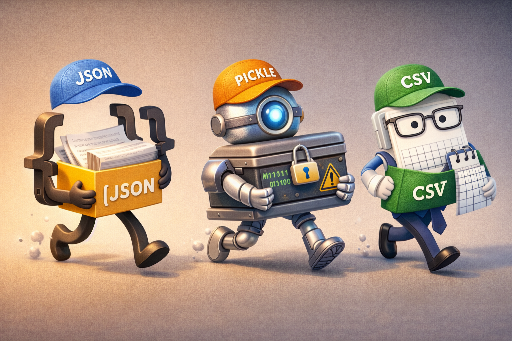
json– a human‑readable text format that excels at cross‑language exchange.pickle– a binary format that stores Python objects exactly as they are, powerful but potentially risky.csv– a plain‑text format that captures tabular data in the simplest way, highly portable.
This article outlines how to choose between these modules based on what you’re trying to achieve.
1. JSON
1.1 Overview
JSON (JavaScript Object Notation) is text‑based and language‑agnostic. It’s widely used for configuration files, API responses/requests, logs, and any scenario where data needs to be exchanged between systems. In Python, the json module handles it directly.
1.2 Core API (most common)
json.dump(obj, fp, ...)/json.load(fp, ...)– write to / read from a file.json.dumps(obj, ...)/json.loads(s, ...)– convert to / from a string.
Key options to remember:
ensure_ascii=False– keep non‑ASCII characters (e.g., Latin‑extended, Cyrillic, CJK) unescaped.indent=2– pretty‑print for readability.default=...– a fallback for types that JSON doesn’t natively support.
1.3 Basic Usage Example
import json

data = {
    "name": "Alice",
    "age": 30,
    "skills": ["Python", "Data Science"]
}

with open("data.json", "w", encoding="utf-8") as f:
    json.dump(data, f, ensure_ascii=False, indent=2)

with open("data.json", "r", encoding="utf-8") as f:
    loaded = json.load(f)

print(loaded)
1.4 Handling JSON’s Type Restrictions
JSON naturally supports only dict, list, str, int/float, bool, and None. For types like datetime, you can use the default callback to convert them into JSON‑friendly forms.
import json
from datetime import datetime, timezone

payload = {"created_at": datetime.now(timezone.utc)}

def to_jsonable(obj):
    if isinstance(obj, datetime):
        return obj.isoformat()
    raise TypeError(f"Not JSON serializable: {type(obj)!r}")

s = json.dumps(payload, default=to_jsonable, ensure_ascii=False)
print(s)
1.5 Pros & Cons
Pros
- Language‑agnostic – great for sharing and exchanging data.
- Text‑based – easy to debug and version‑control.
- No code execution on load, unlike
pickle.
Cons
- Limited type expressiveness (e.g.,
datetime,set,Decimal, binary data). - Larger size and slower for very large datasets.
2. Pickle
2.1 Overview
pickle serializes Python objects exactly as they are. The output is binary data (bytes) that, when loaded, recreates an almost identical object.
Pickle shines when:
- You need to store complex Python objects (custom classes, nested structures, trained models, configuration objects, cached results).
- You’re not exchanging data with non‑Python systems.
Avoid pickle when:
- Loading data from untrusted sources (it can execute arbitrary code).
- Interoperability with other languages is required.
2.2 Core API (most used)
pickle.dump(obj, file, protocol=...)– write to a binary file.pickle.load(file)– read from a binary file.pickle.dumps(obj, protocol=...)– convert to bytes.pickle.loads(data)– convert bytes back to an object.
import pickle

data = {"a": [1, 2, 3], "b": ("x", "y")}

with open("data.pkl", "wb") as f:
    pickle.dump(data, f)

with open("data.pkl", "rb") as f:
    loaded = pickle.load(f)

print(loaded)
2.3 What is protocol and why care?
protocol is the format version used by pickle. Different versions affect file size, speed, and supported features.
- If unspecified, Python chooses the best default for the current environment.
- Common reasons to set it explicitly: 1. Compatibility with very old Python versions. 2. Optimizing for size or speed by forcing the latest protocol.
import pickle

with open("data.pkl", "wb") as f:
    pickle.dump({"x": 1}, f, protocol=pickle.HIGHEST_PROTOCOL)
In most cases, just use the default and switch to pickle.HIGHEST_PROTOCOL only when needed.
2.4 Security Caveat (Important)
pickle.load() / pickle.loads() can execute code embedded in the pickle data. Therefore:
- Never load pickles from untrusted sources.
- Prefer text‑based formats like JSON for data exchange.
2.5 Pros & Cons
Pros
- Stores virtually any Python object.
- Often faster and more compact than JSON for complex objects.
Cons
- Security risk with untrusted data.
- Python‑only – no cross‑language compatibility.
- Changes to class definitions can break old pickles.
3. CSV
3.1 Overview
CSV (Comma‑Separated Values) is the simplest format for tabular data. It’s common in spreadsheets, data export/import, and lightweight logging.
3.2 Core API (most used)
csv.reader,csv.writer– work with lists.csv.DictReader,csv.DictWriter– work with dictionaries (usually more convenient).
3.3 Example with DictWriter/DictReader
import csv

data = [
    {"name": "Alice", "age": 30, "city": "Seoul"},
    {"name": "Bob",   "age": 25, "city": "Busan"},
]

with open("people.csv", "w", newline="", encoding="utf-8") as f:
    writer = csv.DictWriter(f, fieldnames=["name", "age", "city"])
    writer.writeheader()
    writer.writerows(data)

with open("people.csv", "r", encoding="utf-8") as f:
    reader = csv.DictReader(f)
    loaded = list(reader)

print(loaded)
3.4 Three CSV Gotchas
- Always use
newline=""– especially on Windows to avoid double line breaks. - All values are strings – convert types manually after reading.
- Delimiters, quotes, and newlines can appear in data – the
csvmodule handles these edge cases.
3.5 Pros & Cons
Pros
- Extremely lightweight and widely supported.
- Simple to read and write for tabular data.
Cons
- Cannot represent nested structures.
- Lacks type information, requiring manual conversion.
4. Comparison & Decision Guide
| Feature | JSON | Pickle | CSV |
|---|---|---|---|
| Language Compatibility | Excellent | Python‑only | Excellent |
| Readability | High | Low (binary) | High |
| Type Expressiveness | Limited | High | Limited |
| Safety | Relatively safe | Requires caution | Relatively safe |
| Data Shape | Tree (nested) | Python objects | Table (rows/columns) |
Rule of thumb
- Exchange with other systems →
json. - Persist Python objects wholesale →
pickle(but be careful with source). - Export/import tabular data →
csv.
5. Storing the Same Data in Three Formats
Below is a quick demo that writes the same data to JSON, Pickle, and CSV, then reads it back.
import json, pickle, csv

data = [
    {"id": 1, "name": "Alice", "score": 95.5},
    {"id": 2, "name": "Bob",   "score": 88.0},
]

# 1) JSON
with open("data.json", "w", encoding="utf-8") as f:
    json.dump(data, f, ensure_ascii=False, indent=2)

with open("data.json", "r", encoding="utf-8") as f:
    json_loaded = json.load(f)

# 2) Pickle
with open("data.pkl", "wb") as f:
    pickle.dump(data, f)

with open("data.pkl", "rb") as f:
    pickle_loaded = pickle.load(f)

# 3) CSV
with open("data.csv", "w", newline="", encoding="utf-8") as f:
    writer = csv.DictWriter(f, fieldnames=["id", "name", "score"])
    writer.writeheader()
    writer.writerows(data)

with open("data.csv", "r", encoding="utf-8") as f:
    reader = csv.DictReader(f)
    csv_loaded = [
        {"id": int(row["id"]), "name": row["name"], "score": float(row["score"])}
        for row in reader
    ]

print(json_loaded)
print(pickle_loaded)
print(csv_loaded)
Takeaway
- CSV requires explicit type conversion on read.
- Pickle is convenient but demands careful source control.
6. Wrap‑Up
Python’s standard library alone covers a wide range of data storage and serialization needs.
- Need cross‑language readability? →
json. - Want to preserve Python objects exactly? →
pickle. - Need simple tabular export? →
csv.
Choosing the right format boils down to the shape of your data and the intended use case.