What Is the Python Standard Library?
Series 01 – A Beginner’s Guide to Python’s “Basic Arsenal”
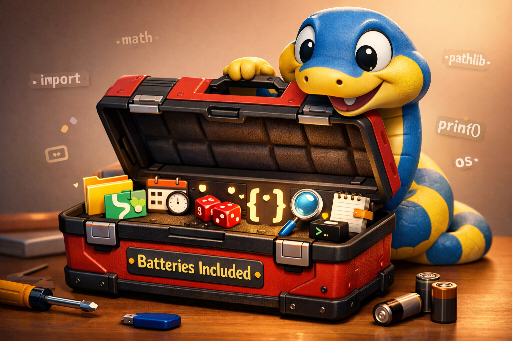
One of the reasons Python is beloved worldwide is its "Batteries Included" philosophy. It comes with a powerful toolbox that you can use right away without any extra installation – the Standard Library. In this series, we’ll dive into the core features of Python.
1. Why Should You Know About the "Standard Library"?
Developers’ time is precious. Mastering the standard library offers several benefits:
- Maximized productivity – you can reuse battle‑tested code instead of reinventing the wheel.
- Reliability and stability – the code is vetted by tens of thousands of developers and the CPython core team, and it’s optimized for security and performance.
- Portability – unlike external libraries from PyPI, you don’t need to install anything extra, so your code runs immediately in any Python environment.
2. "Built‑in Functions" vs "Standard Library" – The Clear Distinction
This is a common point of confusion for beginners. The decisive difference lies in the call method.
| Category | Definition | Usage | Typical Example |
|---|---|---|---|
| Built‑in | Functions that are part of the interpreter itself | Use directly without any declaration | print(), len(), dict() |
| Standard Library | A collection of modules for specific purposes | Requires an import statement |
math, sys, random |
Tip: You can use
print()straight away, but to compute a square root withsqrt()you first need toimport math. That’s the biggest difference between a library and a built‑in.
3. Essential Tips Every Beginner Should Remember
Knowing the module names is useful, but knowing how to work with them is even more important.
- Naming conventions (
as): When a module name is long or might clash, use an alias likeimport pandas as pd. - Leverage help: In a terminal or editor,
help(module_name)will show the official summary documentation instantly. - Make searching a habit: The official Python documentation is the most accurate reference. Bookmark the Module Index page.
4. Roadmap of Core Modules to Cover Next
These are the core modules that beginners can use immediately in real work and that solidify the fundamentals of Python.
| Category | Core Modules | Primary Use |
|---|---|---|
| Files & Paths | os, pathlib |
Create folders, join file paths, manage environment variables |
| Extended Data Types | collections, re |
Flexible data structures (e.g., Counter) and regex pattern matching |
| Time & Randomness | datetime, random |
Date/time calculations, random number generation, shuffling data |
| Data Storage & Serialization | json, pickle, csv |
Read external data, pickle Python objects for storage and retrieval |
| Internet Access | urllib, webbrowser |
Request URL data and control the default browser |
| Numerical & Statistics | math, statistics |
Compute complex math formulas and basic statistical data |
| Runtime & Logging | sys, logging |
Pass CLI arguments and log program execution |
5. In Closing
The standard library showcases the true power of Python. If you ever wonder whether you need to implement a feature yourself, chances are the standard library already has the answer.
The next post will cover the foundational modules os and pathlib. We’ll learn how to elegantly handle files and directories with just a line of code.
Want to learn about a specific module? Drop a comment and we’ll consider it for the series!