WOL Outage Fix and Network Analysis Report (Including Test Results)

1. Overview

- Sender: Raspberry Pi 5 (
192.168.0.xxx) - Receiver: RTX 2060 PC (
MAC: AB:CD:EF:GH:IJ:KL,IP: 192.168.0.xxx) - Network change:
- Normal: Raspi and the 2060 PC were connected to the same router (Bridge B) in the same physical segment.
- Problem: The 2060 PC was moved to the upper‑level router (A) directly, separating it from Bridge B.
- Symptom: The usual WOL command (
255.255.255.255) no longer powers on the PC.
2. Symptoms
Failing case: wakeonlan [MAC] (Limited Broadcast)
- Destination:
255.255.255.255:9 - Result: No response from the 2060 PC.
Successful case: wakeonlan -i 192.168.0.255 [MAC] (Directed Broadcast)
- Destination:
192.168.0.255:9 - Result: The 2060 PC powers on.
3. Experiments and Verification
✅ Experiment 1: Verify packet transmission from the sender (Raspi)
- Goal: Rule out OS or software‑level transmission errors.
- Method: Monitor the interface with
tcpdump.
# Raspi terminal
$ sudo tcpdump -ni eth0 udp port 9
19:25:35.861285 IP 192.168.0.xxx.52072 > 255.255.255.255.9: UDP, length 102
- Conclusion: The Raspi generates and sends the packet correctly.
✅ Experiment 2: Check if the packet reaches the receiver (2060 PC)
- Goal: Determine whether the TP‑Link bridge blocks the broadcast.
- Method: Run
tcpdumpon the 2060 PC while the Raspi sends the default command.
# 2060 PC terminal (listening)
$ sudo tcpdump -ni enp5s0 udp port 9
listening on enp5s0...
# (Result: No packets captured)
- Conclusion: Packets addressed to
255.255.255.255do not pass the Bridge B segment.
4. Root Cause
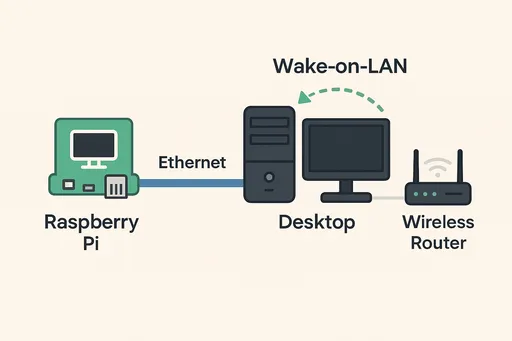
image The issue stems from the broadcast scope and the forwarding policy of the bridge device.
| Type | Limited Broadcast (255.255.255.255) | Directed Broadcast (192.168.0.255) |
|---|---|---|
| Meaning | "Only within this physical link" | "The entire network that uses this IP range" |
| Bridge behavior | Treated as local traffic, not forwarded upstream. | Recognized as valid network traffic and forwarded. |
| WOL outcome | Failed – blocked at the network boundary. | Successful – reaches the 2060 PC via router A. |
5. Resolution
- Fix: Specify the subnet broadcast address with
-i 192.168.0.255. - Convenience: Add an alias to
.bashrc.
alias wake2060='wakeonlan -i 192.168.0.255 ab:cd:ef:gh:ij:kl'
💡 Final Insight
255.255.255.255 is a Local/Limited Broadcast; it cannot cross physical network boundaries. In segmented environments (router‑level bridges, etc.), using a targeted subnet broadcast (192…255) provides reliable delivery.

There are no comments.